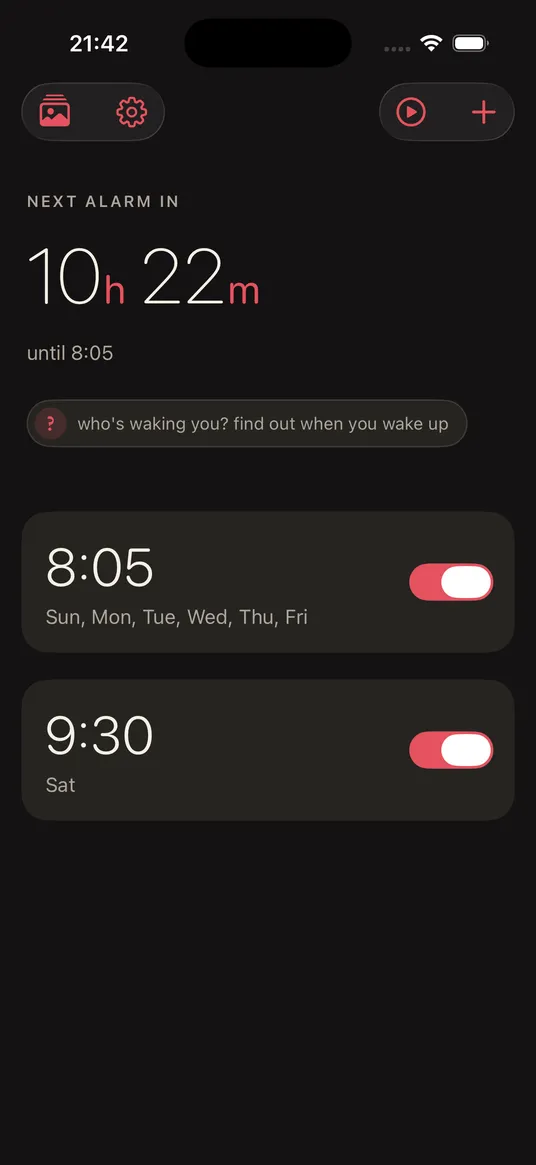

Alarm & Wake-up
Tessera: Photo Puzzle Alarm
An alarm that rings through Silent and Focus, then asks you to rebuild a nine-piece photo you chose before it will stop. It takes about thirty seconds, and the first thing you see in the morning is someone you love.
- Breaks through Silent & Focus
- In-app photos only
- No accounts, no ads
- Subscription or lifetime unlock
The first thing you see is a face you love, resolving piece by piece.
How it works
- 01
Ring
A real alarm, built on iOS 26's AlarmKit. It wakes you through Silent mode and Focus, like the system clock does.
- 02
Assemble
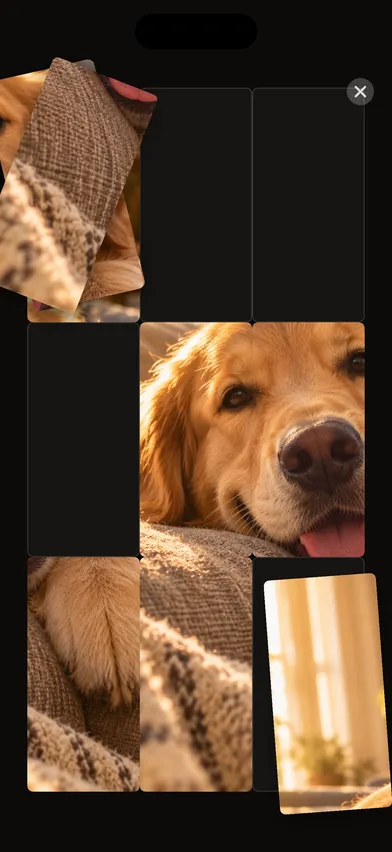
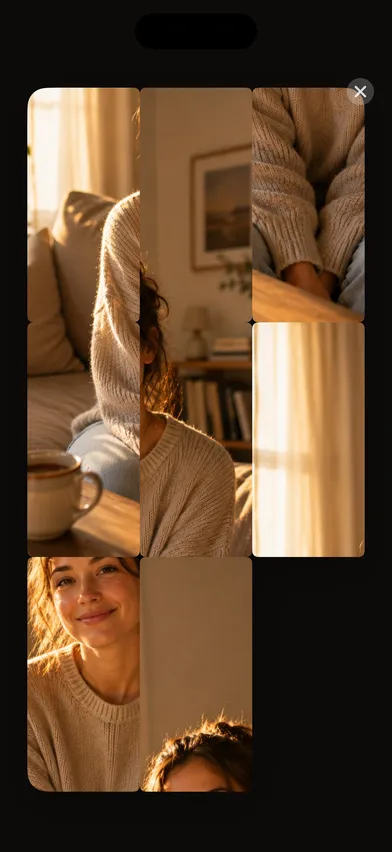
Tap to open, and your photo appears as a 3×3 puzzle. Slide the tiles one tap at a time, or drag the pieces into place. Springy, tactile, forgiving to sleepy fingers.
- 03
Resolve
The pieces settle, the gaps dissolve, and the photo becomes whole and full-bleed. The app holds you there for a moment.
- 04
Wake
That held moment on someone you love is the payoff, a softer way to start the morning than a blaring snooze war.
A look inside
What's inside
-
A real alarm, not a notification
Built on AlarmKit, so it rings through Silent mode and Focus and survives a reboot, which a local notification can't do.
-
A puzzle, not a punishment
Nine pieces, about thirty seconds. A sliding tile puzzle or a drag-and-drop one, your choice. It's meant to wake you gently, not to make waking up hard.
-
The held moment
On solve, the photo goes full-bleed and stays. No timer, no score, no "you took 47 seconds". Just the face, whole.
-
You curate the pool
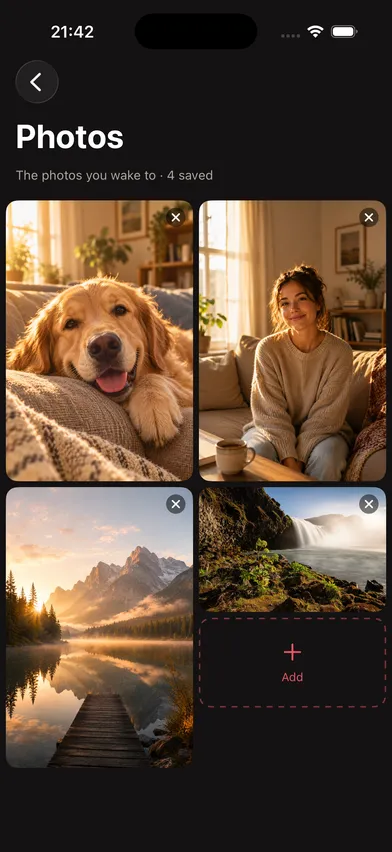
Pick a small, deliberate set of photos once, like people, a pet or a place. No library access, no random receipts at 6am.
-
Emotional safety built in
Every photo is there because you put it there, and removing one is one tap, always within reach. Breakups and grief are real; the app respects that.
-
Photos stay on your phone
Photos never leave the device. No servers, no third-party analytics, no ads.
About Tessera
Tessera is a warm alarm for iPhone. A tessera is a single tile of a mosaic, and that’s the idea: the alarm rings, and to dismiss it you assemble a nine-piece photo you chose, as a sliding tile puzzle, or a drag-and-drop one if you prefer. When it resolves, the first thing you see in the morning is someone, or somewhere, you love.
It’s deliberately not a mission-alarm arms race. The category around it competes on difficulty: math problems, QR codes taped to the bathroom door, shake-the-phone chores that drag your body out of bed. Tessera doesn’t. The puzzle is mild by design, about thirty seconds, and the entire app exists for the held moment when the photo becomes whole and full-bleed.
Underneath the warmth it’s a real alarm. Built on iOS 26’s AlarmKit, it breaks through Silent mode and Focus and survives a reboot. You curate a small set of photos once, kept entirely on your device; nothing is uploaded, there are no accounts, no analytics, and no ads. Removing a photo is always one tap away, because the people in your pool are real and mornings can be tender.
Tessera is free to download. Full use is unlocked with a subscription or a one-time lifetime purchase, and a ringing alarm is never blocked by a lapsed subscription.
Questions
- How do I turn off a Tessera alarm?
- Tessera shows a photo you chose as a nine-piece puzzle, and the alarm stops once you rebuild it. Slide the tiles one tap at a time or drag the pieces into place. It takes about thirty seconds.
- Does Tessera ring when my iPhone is on Silent or in Focus?
- Yes. Tessera is built on AlarmKit, so it rings through Silent mode and Focus and survives a reboot, the same way the built-in Clock alarm does. It is not a notification dressed up as an alarm.
- Is it a hard wake-up puzzle like math alarms?
- No, on purpose. Alarm apps that make you do math, scan QR codes or shake the phone compete on difficulty. Tessera's puzzle is mild by design, and the reward is the photo you see when it resolves.
- Are my photos uploaded anywhere?
- No. You pick a small set of photos once, and they stay on your iPhone. There are no accounts, no analytics and no ads, and removing a photo is always one tap.
- Is Tessera free?
- Tessera is free to download. Full use is unlocked with a subscription or a one-time lifetime purchase. A ringing alarm is never blocked by a lapsed subscription.
- Which iPhones does Tessera run on?
- Any iPhone on iOS 26.1 or later, because it relies on AlarmKit, which arrived in iOS 26.


