
Music & Utilities
SongFetch: Song Identifier
The credit in the corner of a screenshot, the title on a poster, or the track playing across the room. SongFetch reads it or hears it, finds the song, and opens it in Apple Music or Spotify. Screenshots are read on your iPhone and never leave it.
- Listen, camera, paste or screenshot
- Reads screenshots on-device
- No accounts, no ads, no tracking
- Control Center, Lock Screen and Action Button
Screenshot it, or tap Listen. SongFetch finds the song.
How it works
- 01
Listen
Tap Listen and hold your phone near the music. ShazamKit usually names the song in 3 to 6 seconds. Hold Listen and choose Keep Listening to name every song that plays.
- 02
Look
Point the camera at a poster, a record sleeve or another screen, tap the lines with the title and artist, and SongFetch looks them up.
- 03
Screenshot
A TikTok, a Reel, a Short or a friend's message. Paste it, pick it, or share it in from any app. Apple's Vision framework reads the text on-device.
- 04
Open
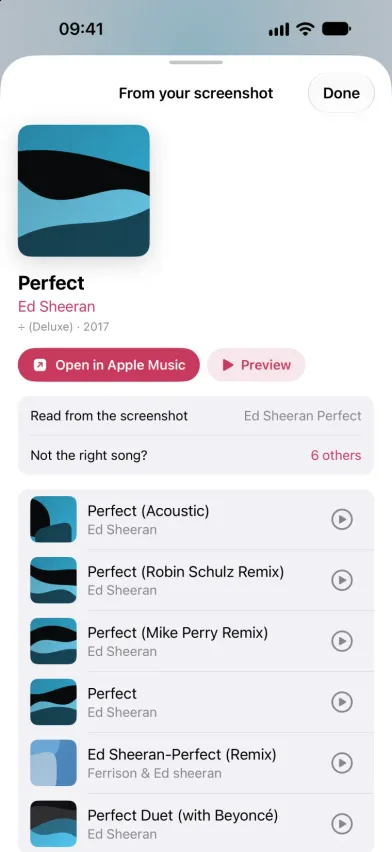
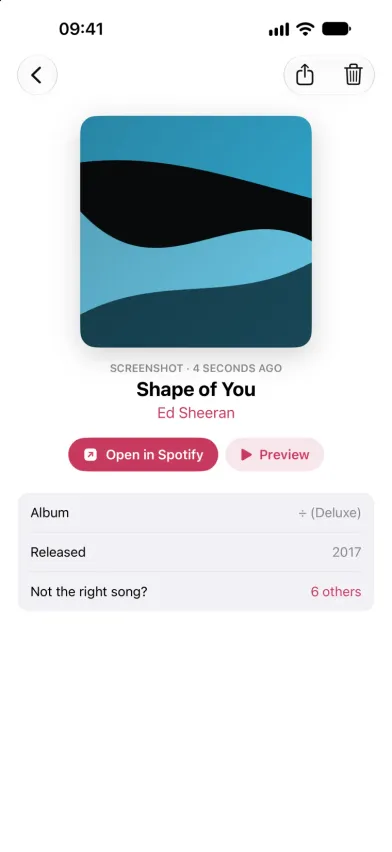
One tap opens the track in Apple Music, or a Spotify search for it. If the first match isn't right, pick from up to six close alternatives.
A look inside
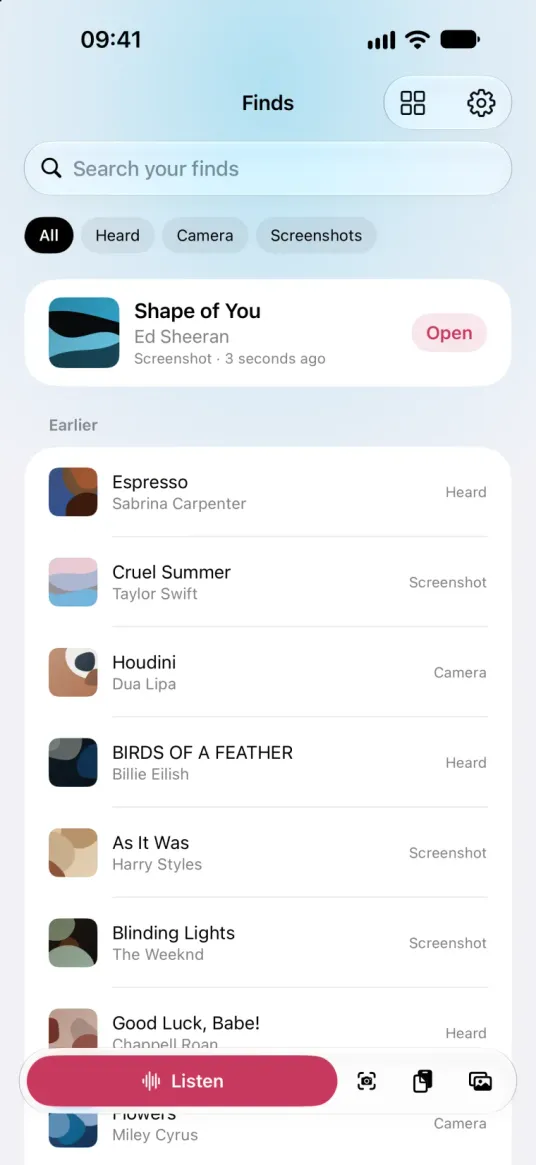
What's inside
-
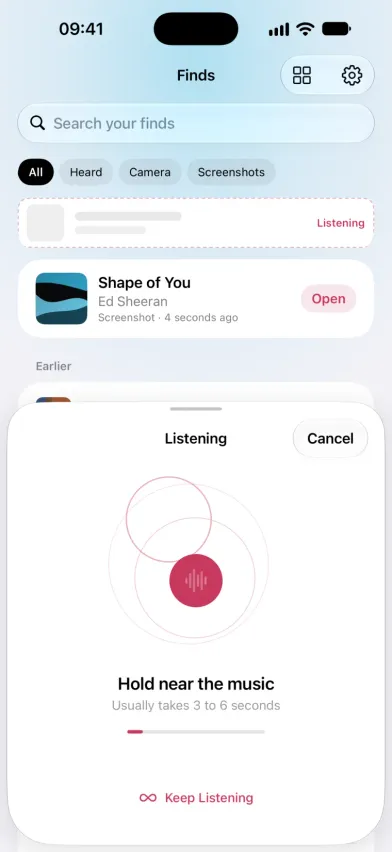
Listen with ShazamKit
Tap Listen and hold the phone near the music; it usually takes 3 to 6 seconds. The sound is turned into a signature on your iPhone and only that signature goes to Apple's Shazam service. No audio is recorded.
-
Keep Listening
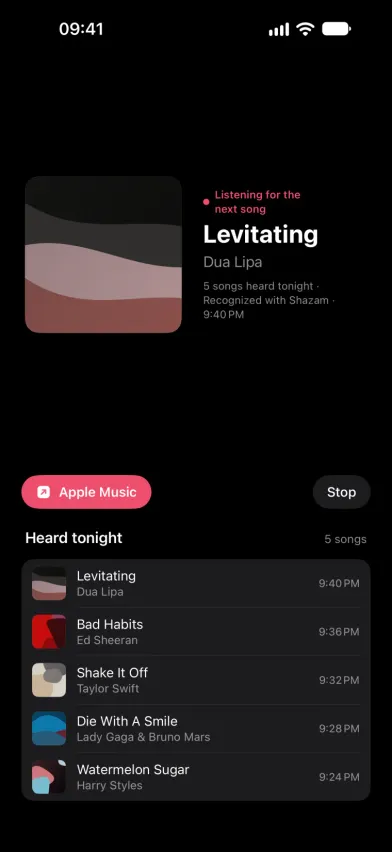
Hold Listen and choose Keep Listening for a party or a DJ set. It names each new song, keeps a Heard tonight list with the time of each one, saves them to your finds and keeps the screen awake.
-
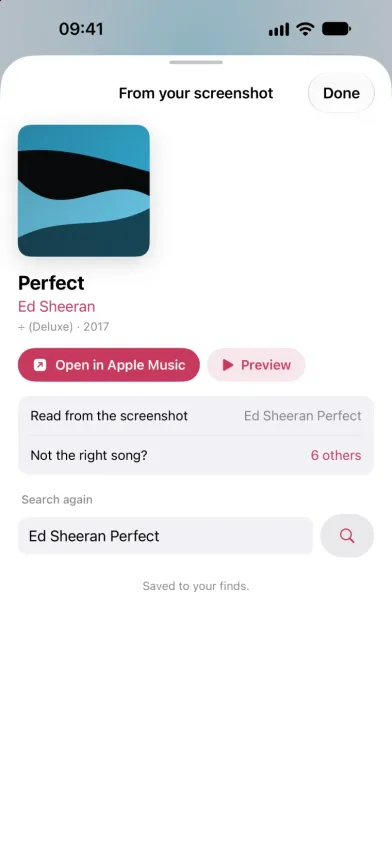
Screenshots read on-device
Apple's Vision framework reads the text on your iPhone, with the on-device Apple Intelligence model helping where it's available. Only the title and artist it reads are searched; the image is never uploaded.
-
Every song on one screenshot
A playlist, a chart or a list from a friend. SongFetch outlines every song on the screenshot and you pick the ones to find. Pick up to ten screenshots at once and go through them in a row.
-
Camera and shared videos
The camera uses VisionKit Live Text, so you tap the lines with the title and artist on a poster or a sleeve. Share a saved video in and it's named by its soundtrack.
-
Originals ranked first
Results are scored against all the text in the screenshot. Titles marked karaoke, tribute, instrumental, sped up, slowed or nightcore are pushed down, and up to six alternatives sit under "Not the right song?".
-
Control Center, Siri and Visual Intelligence
Identify Song, Song Camera and Scan Screenshot work from Control Center, the Lock Screen, the Action Button, Siri and Spotlight. Scan Screenshot reads your newest screenshot if it's under two minutes old. On iPhones with Visual Intelligence, SongFetch results show up when you search a screenshot.
-
Apple Music or Spotify
Matching uses Apple's public catalog, so finding a song needs no subscription and no login. Open lands on the track in Apple Music, or on a Spotify search for it if you choose Spotify in Settings.
-
A library of finds, synced with iCloud
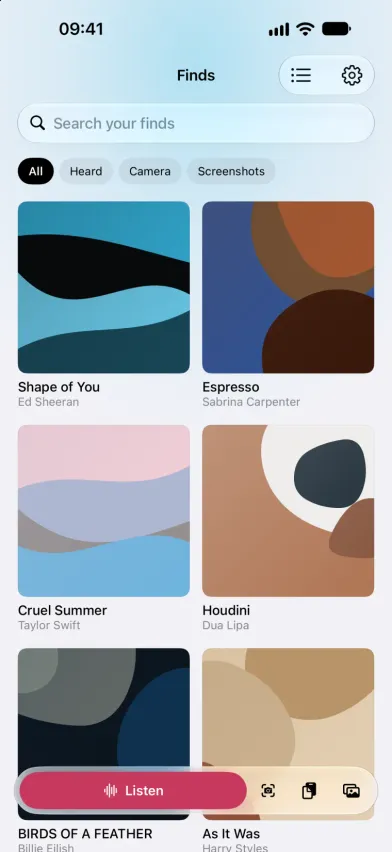
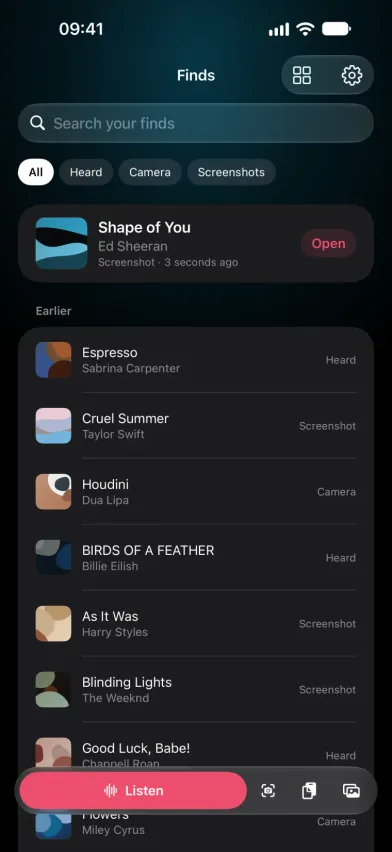
Search your finds, filter them by Heard, Camera or Screenshots, and switch between a list and a grid of covers. They sync through your own private iCloud database, which the developer has no access to.
-
Three free finds
Every install starts with three free finds, and a search that finds nothing doesn't use one. After that, SongFetch Unlimited is a monthly subscription or a one-time purchase, and both unlock the same thing.
About SongFetch
SongFetch started with a small, specific annoyance: a song goes past, you screenshot it so you won’t lose it, and then it sits in the camera roll. The credit is right there in the corner of the image, and getting from that to the actual track still means typing half-remembered words into a search box.
It now covers the other ways a song reaches you too. Tap Listen and ShazamKit names whatever is playing nearby; hold it and choose Keep Listening and it names every song through a whole set. Point the camera at a poster or a record sleeve and tap the lines with the title. Share a video in, and it’s named by its soundtrack.
For screenshots, Apple’s Vision framework reads the text on-device. Where Apple Intelligence is available, the on-device model reads the same text alongside the heuristics; without it, the heuristics do the work alone. Neither one sends your screenshot anywhere.
What comes out is a short list of ranked search terms, because Apple’s catalog resolves those better than a parser does. Each result is then scored against all the text in the screenshot, and titles marked karaoke, sped up or slowed are pushed down, so the original usually comes first.
Every find lands in a library you can search and filter by how you found it, and it syncs through your own iCloud account. Open takes you to the track in Apple Music, or to a Spotify search for it.
Every install starts with three free finds. After that, finding songs needs SongFetch Unlimited, a monthly subscription or a one-time purchase. Both unlock the same thing.
Questions
- How do I find a song from a screenshot?
- Paste, pick or share the screenshot into SongFetch. It reads the song credit with Apple's on-device text recognition, searches Apple's music catalog for the title and artist, and ranks the closest matches. If the screenshot shows several songs, you pick which ones to find.
- Can SongFetch identify the song in a TikTok or Instagram Reel?
- Yes, two ways. Screenshot the song credit on the video and SongFetch reads it, with the sound off. Or save the video and share it into SongFetch, and it names the song from the soundtrack.
- Does SongFetch upload my screenshots or record audio?
- No. Screenshots, photos and the camera are read on your iPhone and never uploaded; only the title and artist text is looked up. When listening, the sound becomes a signature on your iPhone and only that signature is sent to Apple's Shazam service. No audio is recorded.
- How is SongFetch different from Shazam?
- For listening, SongFetch uses Apple's ShazamKit, so heard songs are matched by the same service. It adds ways that don't need the song to still be playing: a screenshot, a photo, the camera or a saved video.
- Can it name every song at a party or DJ set?
- Yes. Hold Listen and choose Keep Listening. SongFetch names each new song as it plays, keeps a Heard tonight list and saves every one to your finds.
- Does SongFetch need a Spotify or Apple Music subscription?
- No. Matching uses Apple's public music catalog, and there's no login for either service. Open takes you to the track in Apple Music, or to a Spotify search for it if you choose Spotify in Settings.
- Does SongFetch work offline?
- Partly. Reading a screenshot happens on your iPhone, but looking the song up in Apple's catalog and matching a song by sound both need an internet connection.
- Is SongFetch free?
- It's free to download, and every install starts with three free finds; a search that finds nothing doesn't use one. After that, SongFetch Unlimited is a monthly subscription or a one-time purchase, and both unlock the same thing. There are no ads and no accounts.
Stop losing songs.
SongFetch is on the App Store for iPhone. Screenshot it, point the camera at it, or tap Listen, then open it in Apple Music or Spotify.
Get SongFetch


